Create and browse Rewards
Publish direct or points-based benefits with clear provider, validity, terms and redemption information.
rewards.mov · Reviewed against the Buzzmint Engage interface on 16 July 2026. The original full-motion master remains in the private BUZZMINT VIDEOS Drive folder.
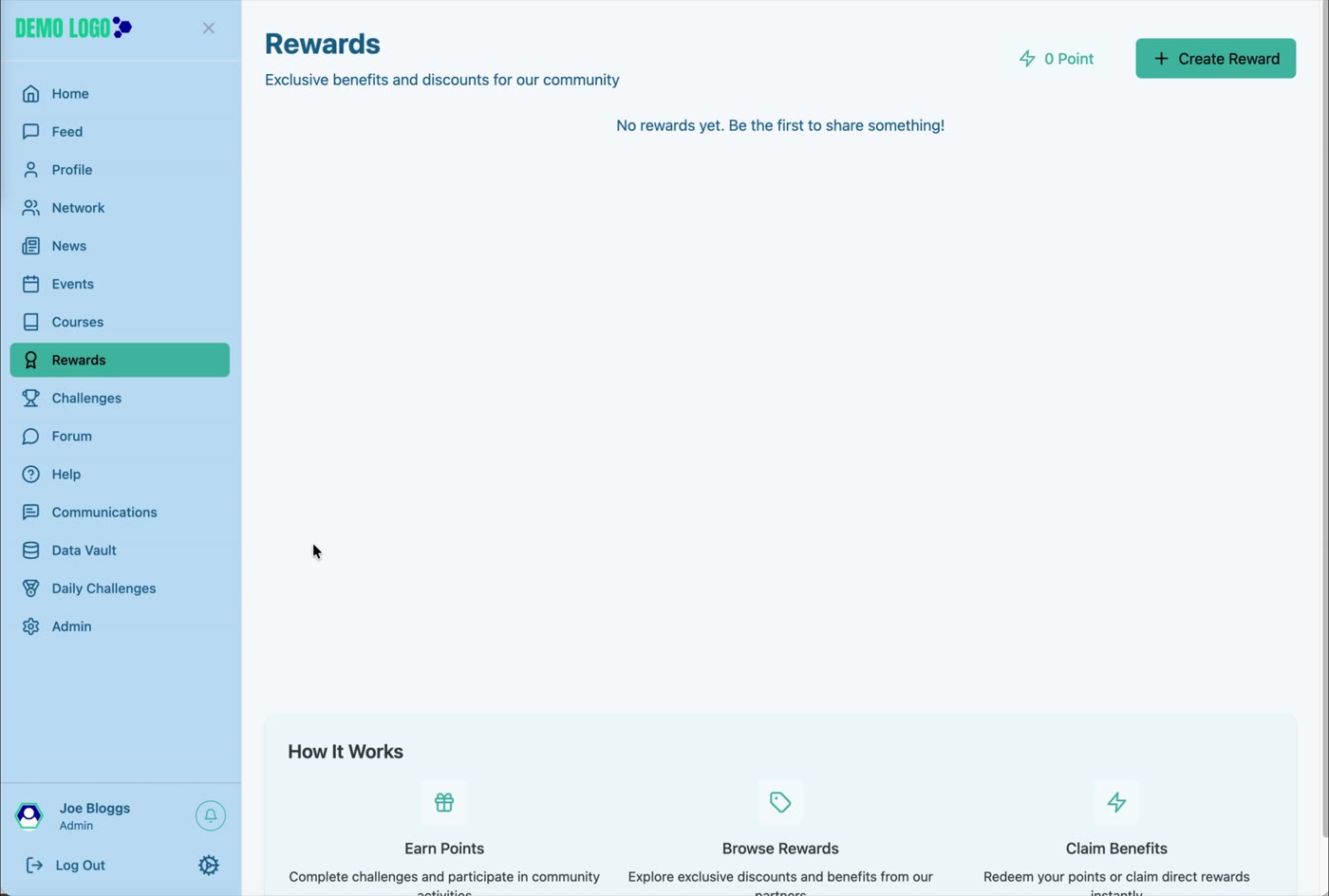
- 00:00Review Rewards
See the member points total and How It Works guidance.
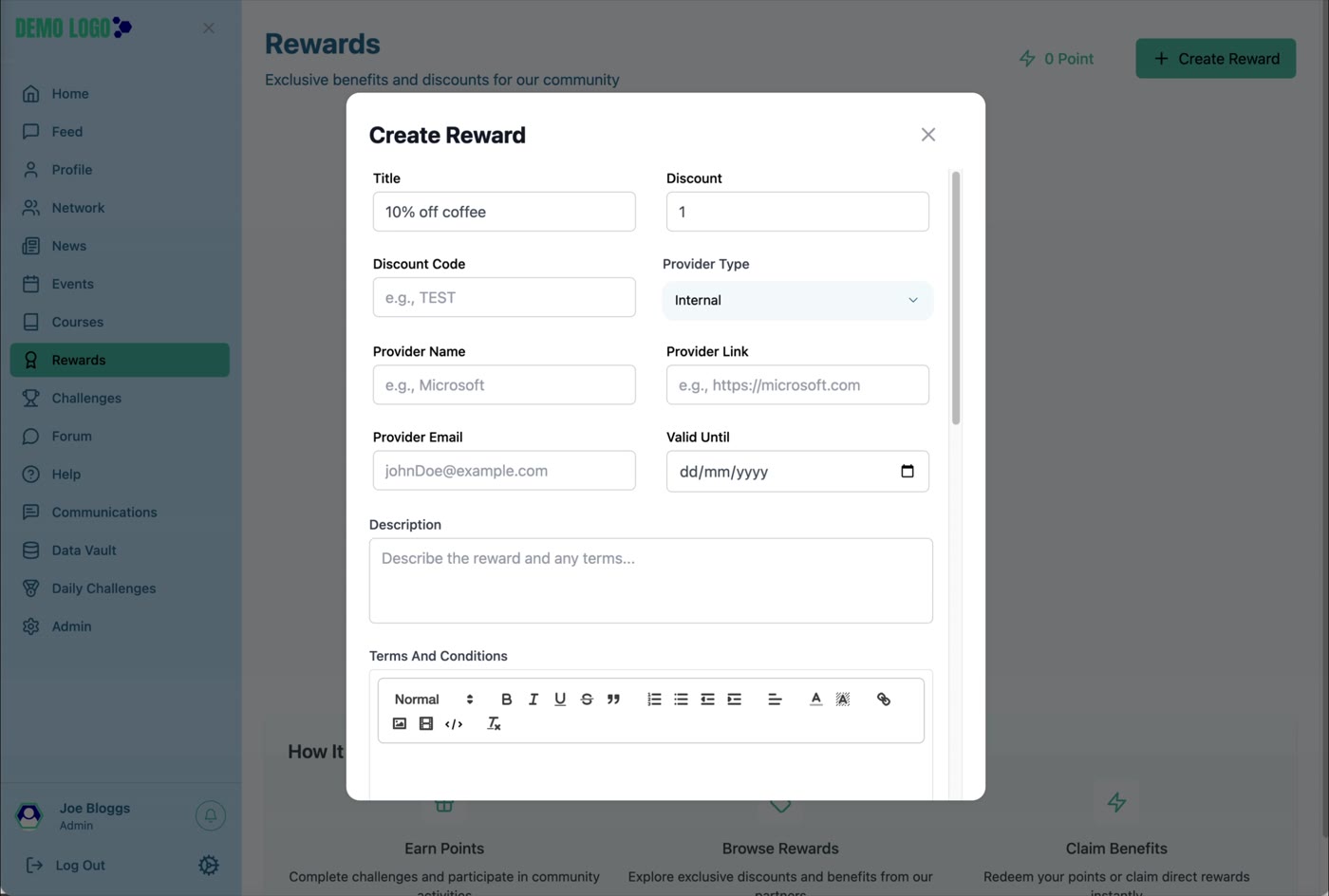
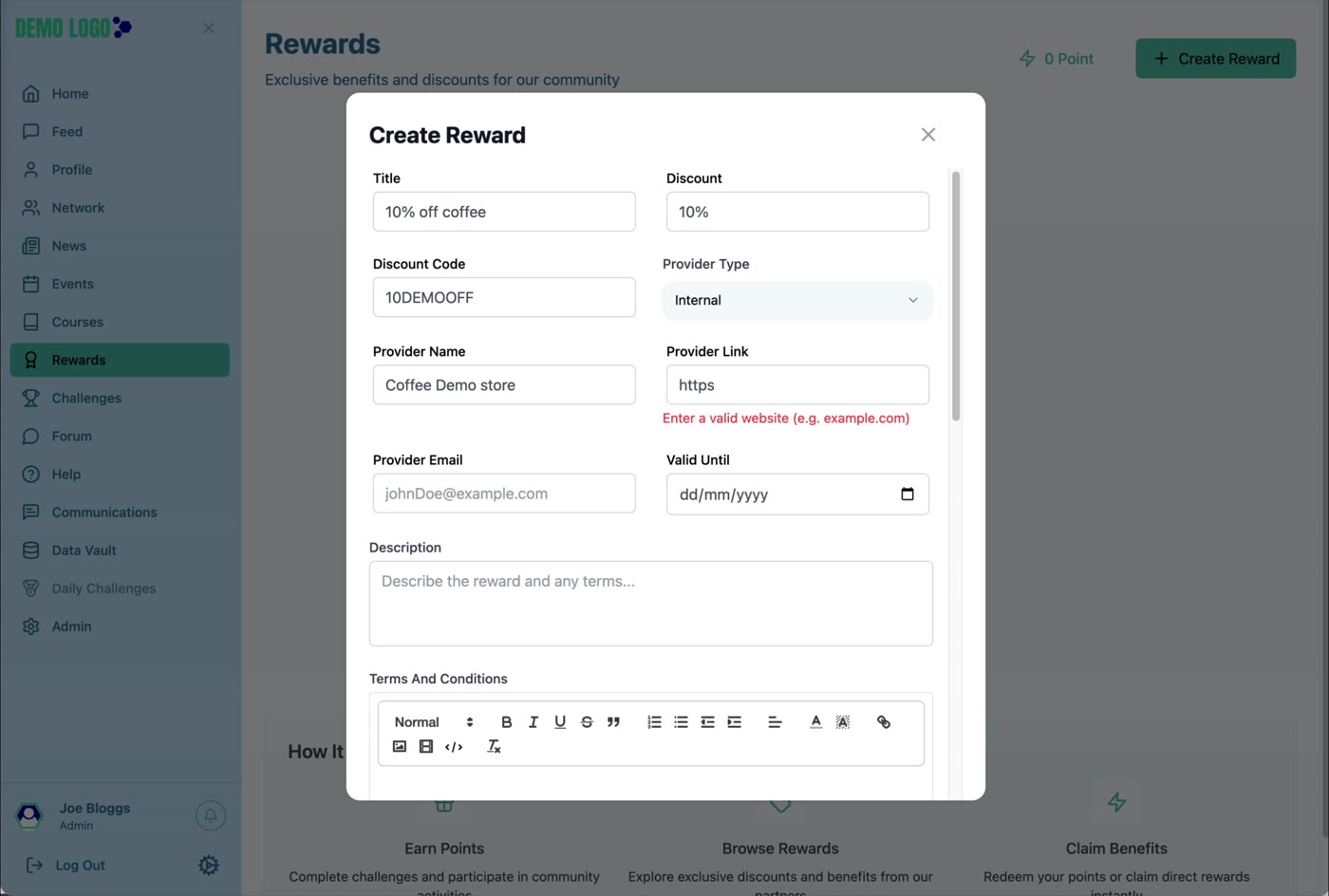
- 00:35Create the Reward
Add offer, provider and validity information.
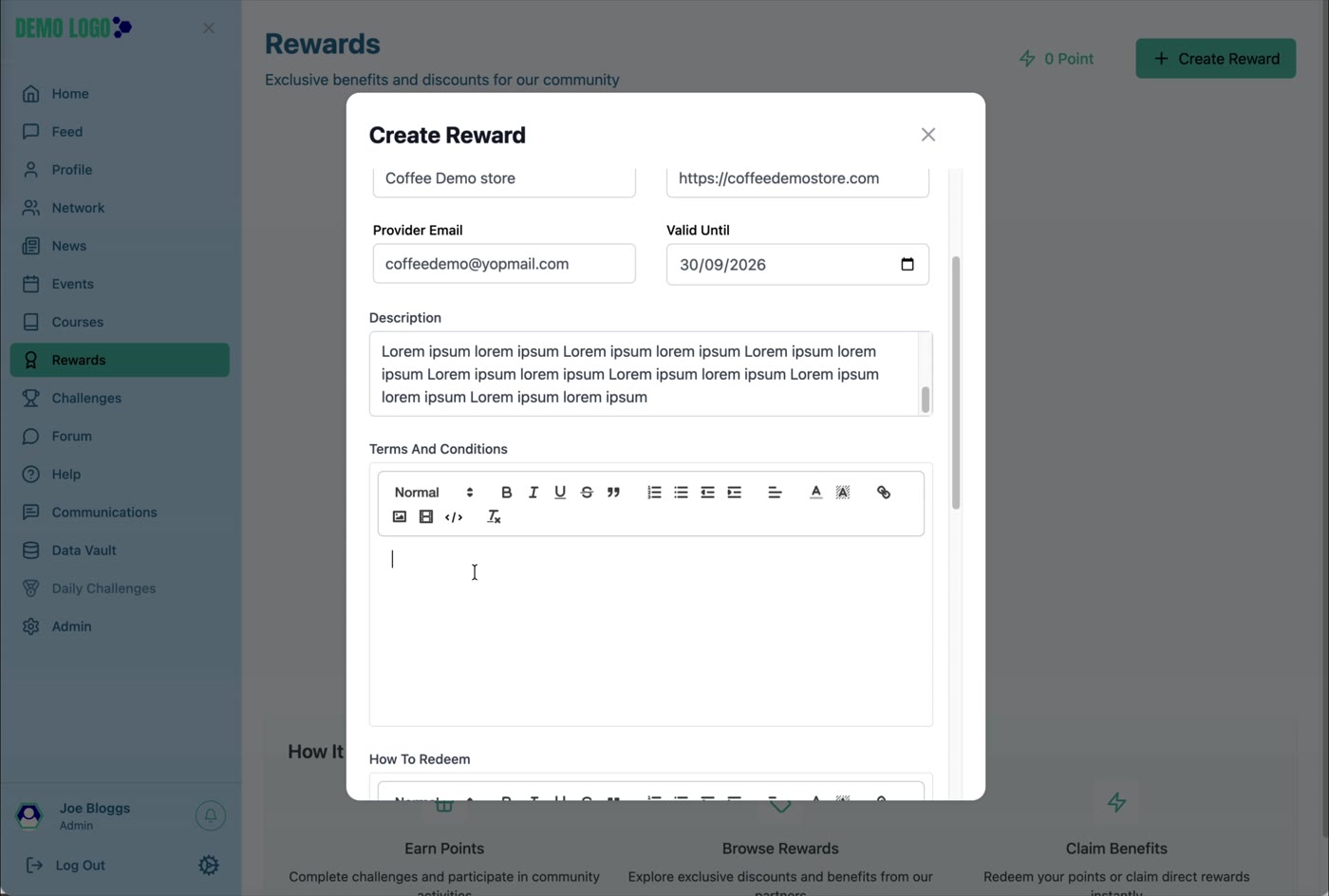
- 02:37Add terms and redemption instructions
Explain eligibility and fulfilment clearly.
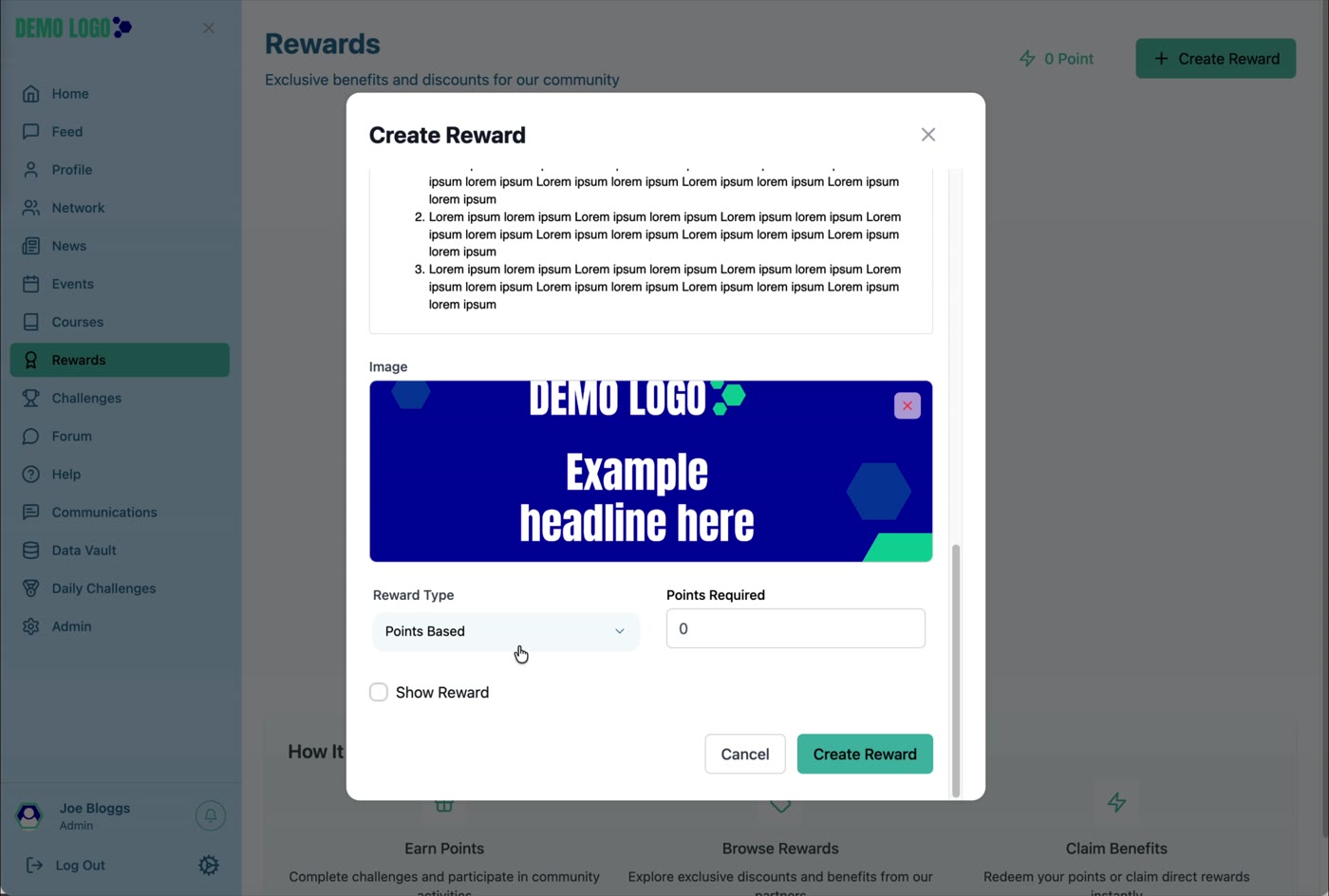
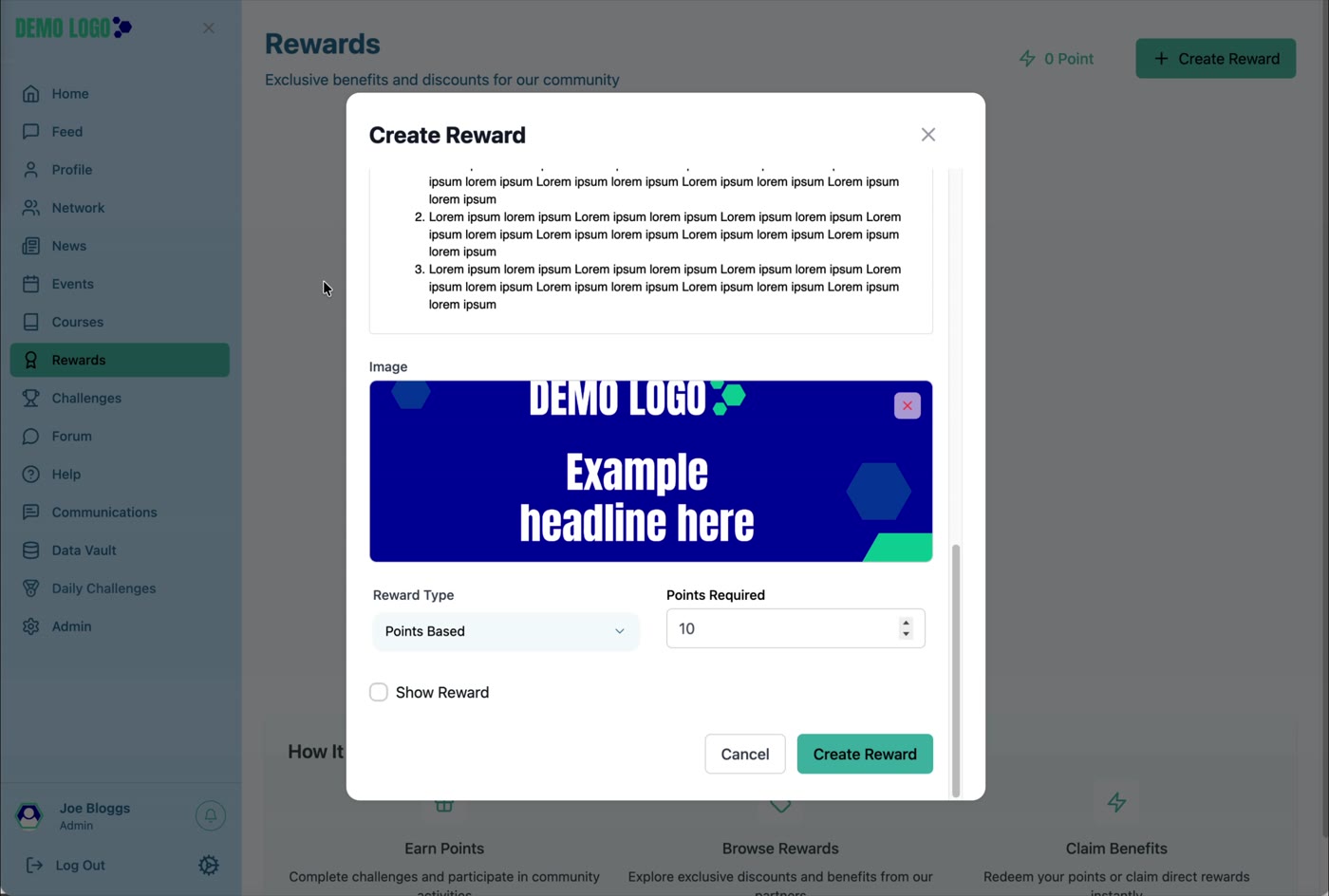
- 03:29Choose image and Reward Type
Set Direct Reward or Points Based and control visibility.
- 04:39Review the published Reward
Open the card and check the member-facing details.
What Rewards is for
Rewards turns participation into a visible benefit. Members can browse offers and, where configured, exchange earned points or claim a direct reward. The page also explains the basic journey: earn points, browse rewards and claim benefits.
Create a Reward
| Field or control | Purpose | Guidance |
|---|---|---|
| Title and Discount | Names and summarises the offer. | Make the value immediately understandable. |
| Discount Code | Stores the code used for redemption. | Treat reusable codes as controlled information. |
| Provider Type | Identifies Internal or External fulfilment. | Choose the party responsible for honouring the reward. |
| Provider Name, Link and Email | Gives members and administrators the provider reference. | Use a live URL and monitored email address. |
| Valid Until | Sets the offer expiry date. | Allow enough time for members to act and define what happens after expiry. |
| Description | Explains the reward and eligibility. | State the benefit, audience and exclusions. |
| Terms and Conditions | Records the detailed rules. | Include stock, geography, limits and legal terms. |
| How to Redeem | Explains the member action. | Write a short, numbered process. |
| Image | Creates the Reward card artwork. | Use approved imagery with readable text at card size. |
| Reward Type | Chooses Direct Reward or Points Based. | Use Points Based when a points balance is required. |
| Points Required | Sets the cost for a points-based reward. | Check the number against the points economy. |
| Show Reward | Controls member visibility. | Leave clear while the reward is incomplete or unavailable. |
Review the published Reward
The Reward card shows the image, offer, availability and a View Details action. Open the detail page and confirm the provider, validity, terms and redemption instructions are understandable.
Reward best practice
- Reward useful behaviour rather than activity for its own sake.
- Make the provider and fulfilment owner explicit.
- Use a points price that members can realistically reach.
- State expiry, limits and exclusions clearly.
- Do not show a Reward before codes, stock and support are ready.
- Test the full redemption path with a non-production account.
Reward checklist
- Reward Type is correct.
- Points Required is correct where applicable.
- Provider link and email work.
- Validity date and terms are approved.
- How to Redeem is actionable.
- Image is legible.
- Show Reward reflects availability.
- Fulfilment and support ownership are recorded.
Common issues
The Reward is not visible
Check Show Reward, validity, portal and any member eligibility or points requirement.
A code does not work
Verify the discount code, provider rules, expiry and whether the code has a usage limit.
Points do not match expectations
Review the member balance and the Points Required value before changing the Reward.
Hub version 0.3.7 · Last updated 16 July 2026