Create and assign badges
Add reusable badge artwork and connect the badge to a challenge or other recognition workflow.
admin_badges.mov · Reviewed against the Buzzmint Engage Admin interface on 16 July 2026. The full-motion master remains in the private BUZZMINT VIDEOS Drive folder.
- 00:00Open Badges
Review the badge library and available actions.
- 00:30Upload artwork
Choose the approved badge image.
- 00:40Name and create
Create the reusable badge record.
- 01:08Assign to a challenge
Select the badge as a challenge reward.
What Badges controls
Badges is the reusable recognition library for visual achievements that can be connected to other Engage workflows, including challenge rewards.
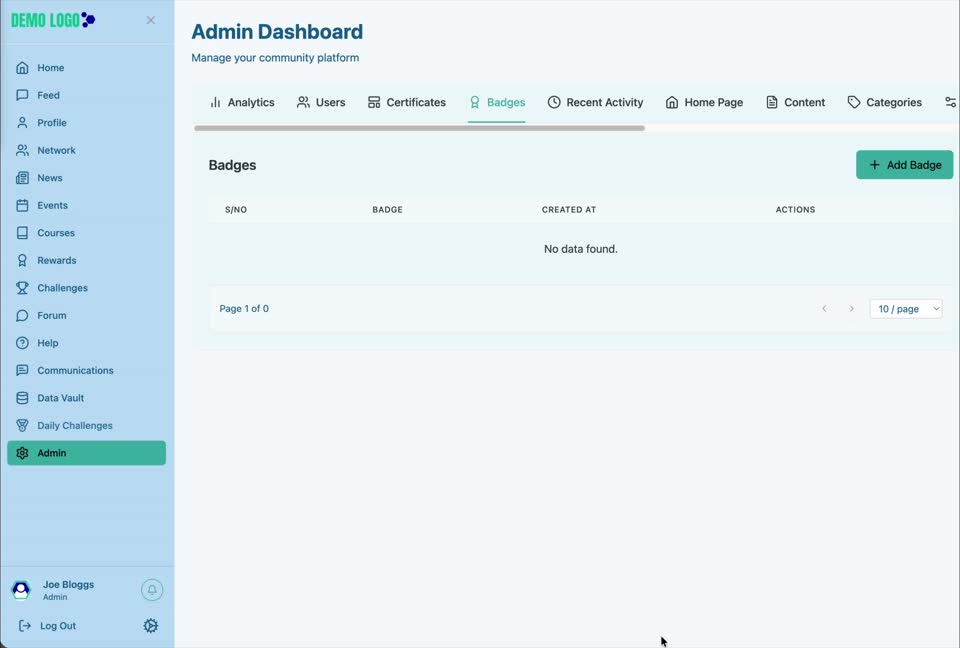
Create a badge
Select Add Badge
Open Admin → Badges and start a new badge.
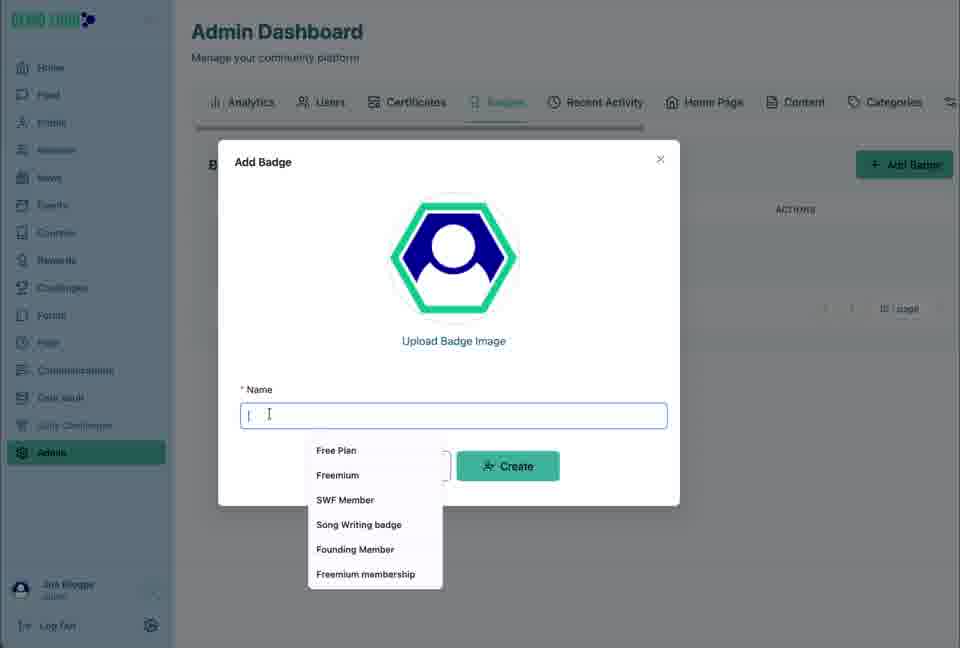
Upload the badge image
Choose an approved, clearly legible badge asset.
Add a meaningful name
Use a name administrators can recognise when assigning rewards.
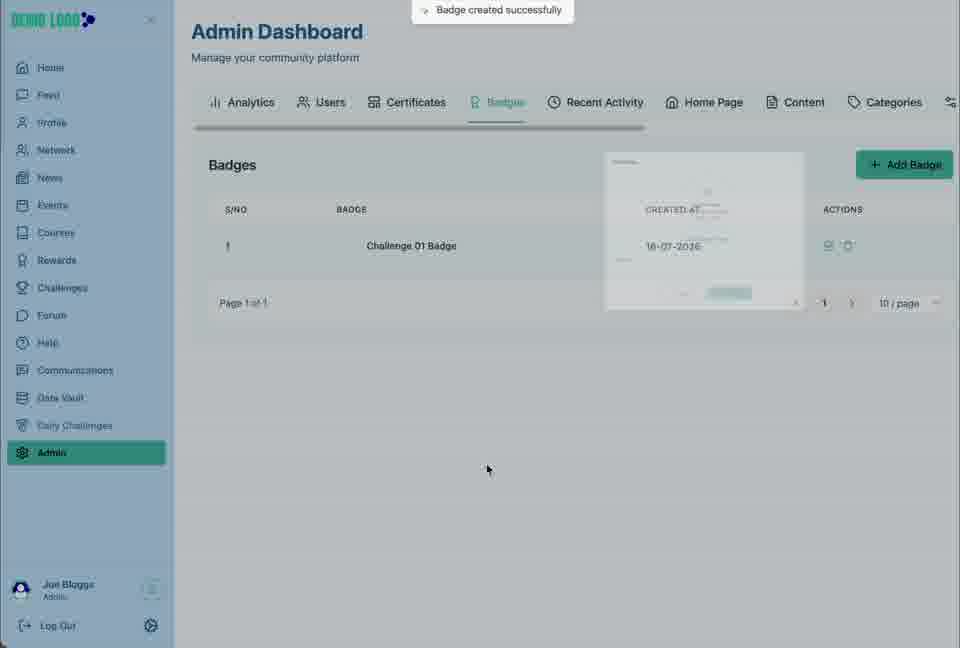
Create and confirm
Save the badge and check that it appears in the list.
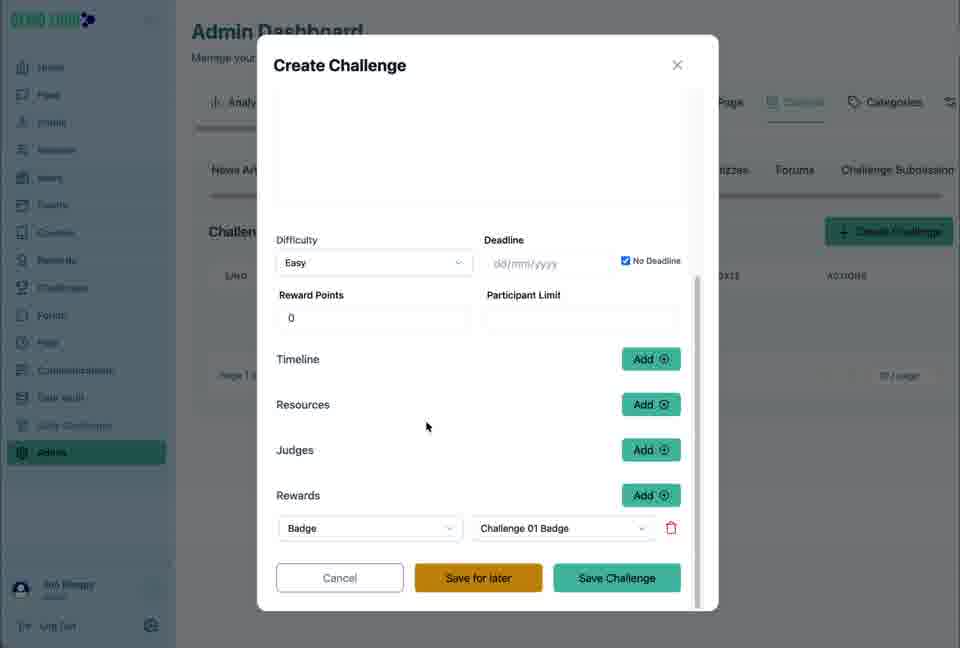
Use the badge as a reward
When configuring a Challenge, add a reward, choose the Badge reward type and select the saved badge. Confirm the reward is attached before saving the challenge.
Badge best practice
- Use a consistent image shape and visual system.
- Name badges by achievement rather than campaign jargon.
- Avoid creating near-duplicate badges.
- Explain the behaviour that earns the badge.
- Test the full award journey before launch.
Badge checklist
- The artwork is approved and readable at small size.
- The name distinguishes it from existing badges.
- The badge is attached to the intended challenge or workflow.
- The award rule is understandable to members.
- A test completion produces the expected recognition.
Common issues
The badge is not available in a challenge
Confirm it was created successfully and refresh the reward selector.
The artwork looks soft
Replace it with a sharper source image designed for the display size.
Members receive the wrong badge
Review the challenge reward selection before publishing or approving completions.
Hub version 0.3.7 · Last updated 16 July 2026